

USED CARS

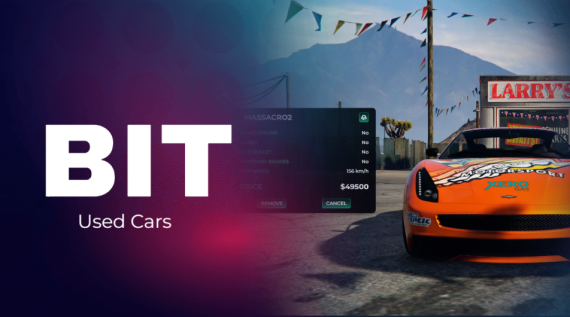
Used Cars - Compatible with ESX, QB and QBOX
🚗 Advanced Second-Hand Vehicle Sales Script for FiveM Servers
Bring a new layer of realism and functionality to your server with this innovative second-hand vehicle sales script. Designed to streamline the buying and selling process, this script is ideal for creating immersive dealership experiences for players.
✨ Key Features:
- ⚙️ Framework Compatibility: Fully compatible with QB, ESX and QBOX, integrating seamlessly with popular targeting systems like qb-target, ox-target, and others.
- 📄 Streamlined Selling Process:
- Users fill out the price in the sales contract, and the system handles the rest.
- Once both parties sign, the vehicle is automatically transferred to the business worker’s garage.
- 📋 Comprehensive Vehicle Information:Buyers can view detailed information, including:
- Tuning status
- Turbo presence
- Top speed
- And more, all compiled automatically by the script.
- 🛠️ Business Owner Controls:
- Add or remove vehicles for sale.
- Manage employees and oversee business operations via a control panel.
- 🔒 Vehicle Security: Protect vehicles on display from damage to ensure they remain available for sale.
🎮 Enhanced User Experience:
This script simplifies vehicle transactions, offering an intuitive and efficient solution for both players and business owners. It provides a complete system for managing and selling second-hand vehicles, enhancing gameplay and roleplay opportunities.
🔥 Transform your server with this feature-rich and user-friendly second-hand vehicle sales script. Perfect for creating a thriving in-game economy and realistic dealership experiences!
Installation
Remember that you will find the installation documentation in the documentation: https://docs.bit-scripts.com
Support
If you have any questions about the installation of a script or how it works, you can contact us through Discord by opening a ticket. Or you can send an email to the support address that appears after the purchase.