

INTERACTIVE CITY

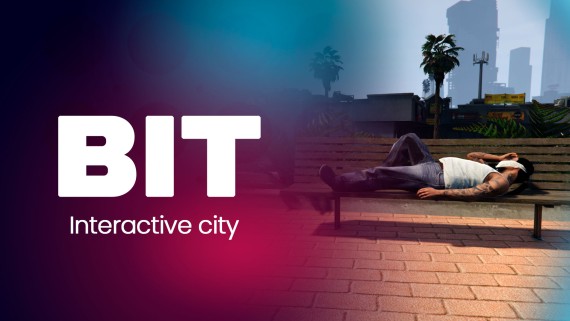
Interactive City - Compatible with ESX, QB and QBOX
🌆 Advanced Interaction Script for Your FiveM Server
Transform your FiveM server into a truly immersive world with the Advanced Interaction Script. Designed to enhance roleplay and realism, this script turns every corner of Los Santos into a canvas for creativity, storytelling, and unique gameplay.
✨ Key Features:
- ⚙️ Full Compatibility: Seamlessly works with QB, ESX and QBOX, and any targeting system such as qb-target, ox-target, and others.
- 🏙️ Total Environmental Interaction:
- Sit on any chair, lie on benches, or rest on beds to make the city feel like home.
- Manipulate urban objects like fire hydrants, traffic lights, and vending machines.
- 🚨 Realistic Emergency Systems: Use public phones to contact emergency services, triggering dispatch alerts for immersive responses.
- 💰 Street Economy:
- Scavenge for treasure or rob NPCs.
- Engage in small-scale heists at supermarkets.
- 🤝 Unique Social Interactions:
- Pet animals, take hostages, or talk to NPCs.
- Use props to enrich roleplay scenarios.
- 🌍 Immersive Exploration:
- Use public binoculars for sightseeing.
- Warm up at campfires or discover hidden corners of Los Santos.
- 🛠️ Customizable Prop Management: Easily configure actions for each prop or add new features to existing props directly from the script settings.
📂 Dependency:
Requires a targeting system (qb-target, ox-target, bt-target, etc.) for full functionality.
🔥 Bring your server to life with this Advanced Interaction Script, turning every interaction into an opportunity for immersive storytelling and creativity. Redefine what’s possible in roleplay today!
Installation
Remember that you will find the installation documentation in the documentation: https://docs.bit-scripts.com
Support
If you have any questions about the installation of a script or how it works, you can contact us through Discord by opening a ticket. Or you can send an email to the support address that appears after the purchase.